

Hold highlight
Only one boulder keeps its colour
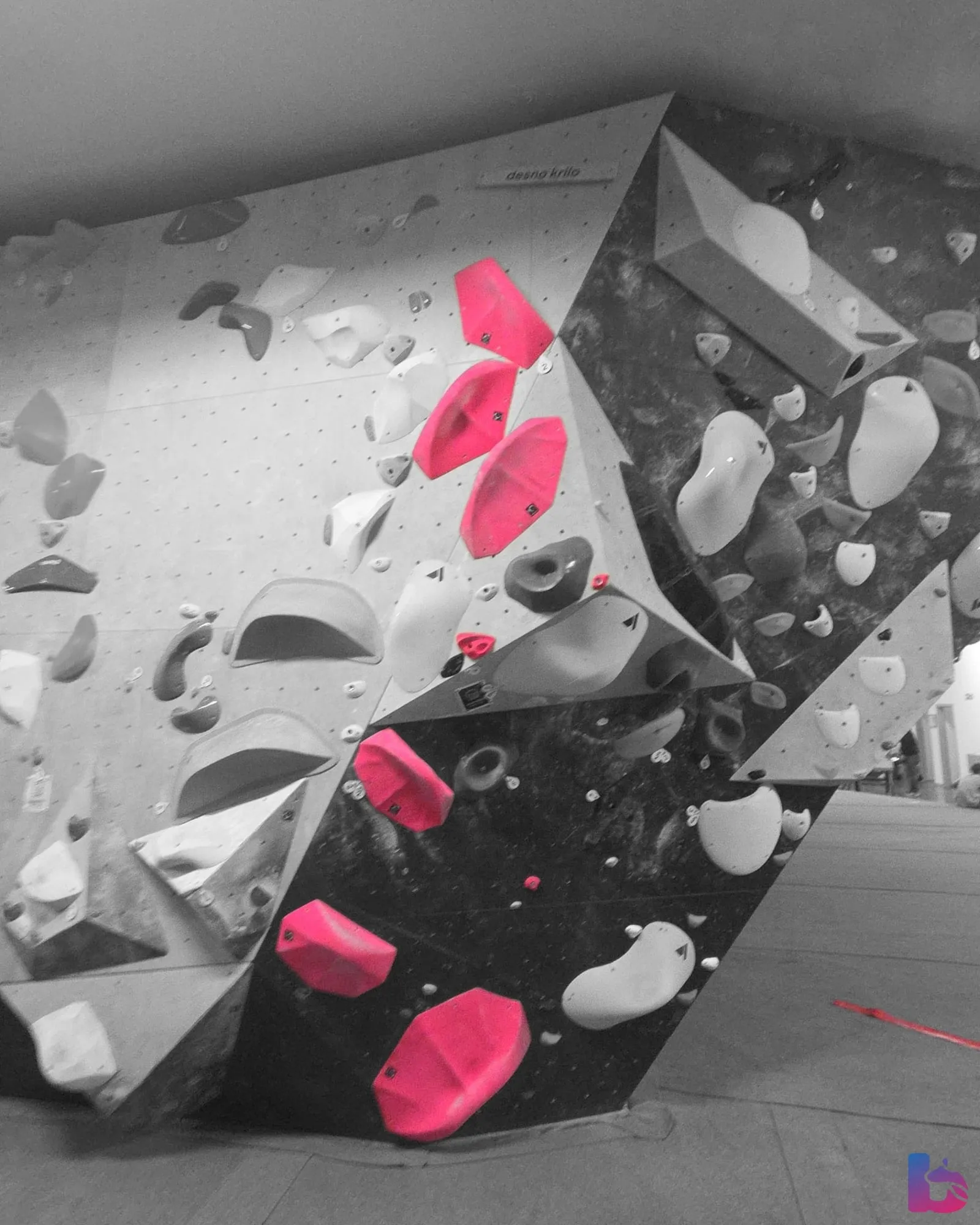
Add a wall photo to a boulder and Balvanko suggests which holds belong to it. Once a setter accepts the suggestion, or fixes it with a few taps, climbers see that boulder in colour on a grey wall.
- Included in Pro
- Climbers see only accepted highlights
- Photos are processed on servers in the EU
Klajmber, Maribor
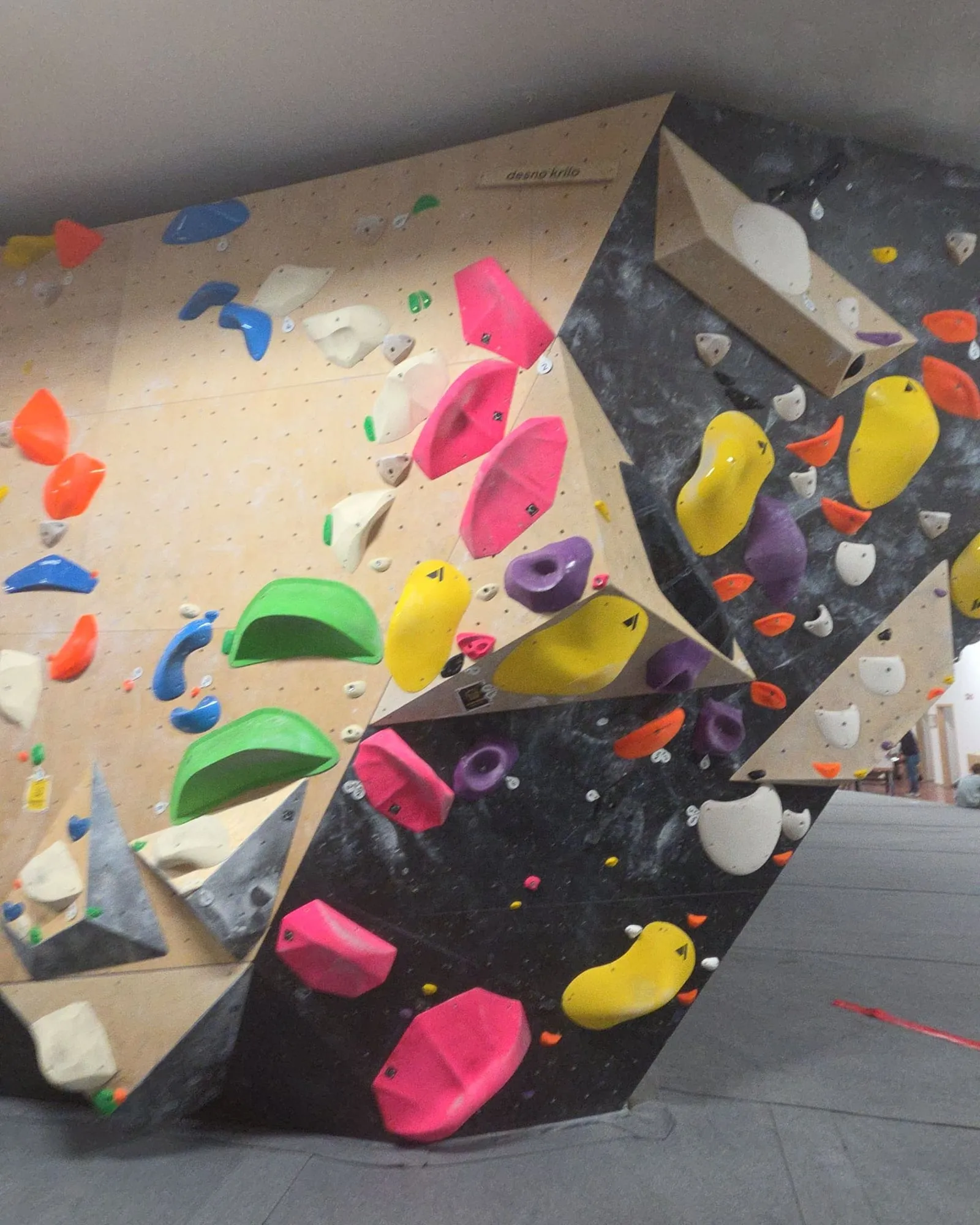
Hold highlights, before and after
Each saved highlight is shown against the photo the setter uploaded. Pick a boulder by its colour, then drag the handle or switch between Original and Highlighted. The caption says whether the highlight was accepted as suggested or fixed by a setter first.
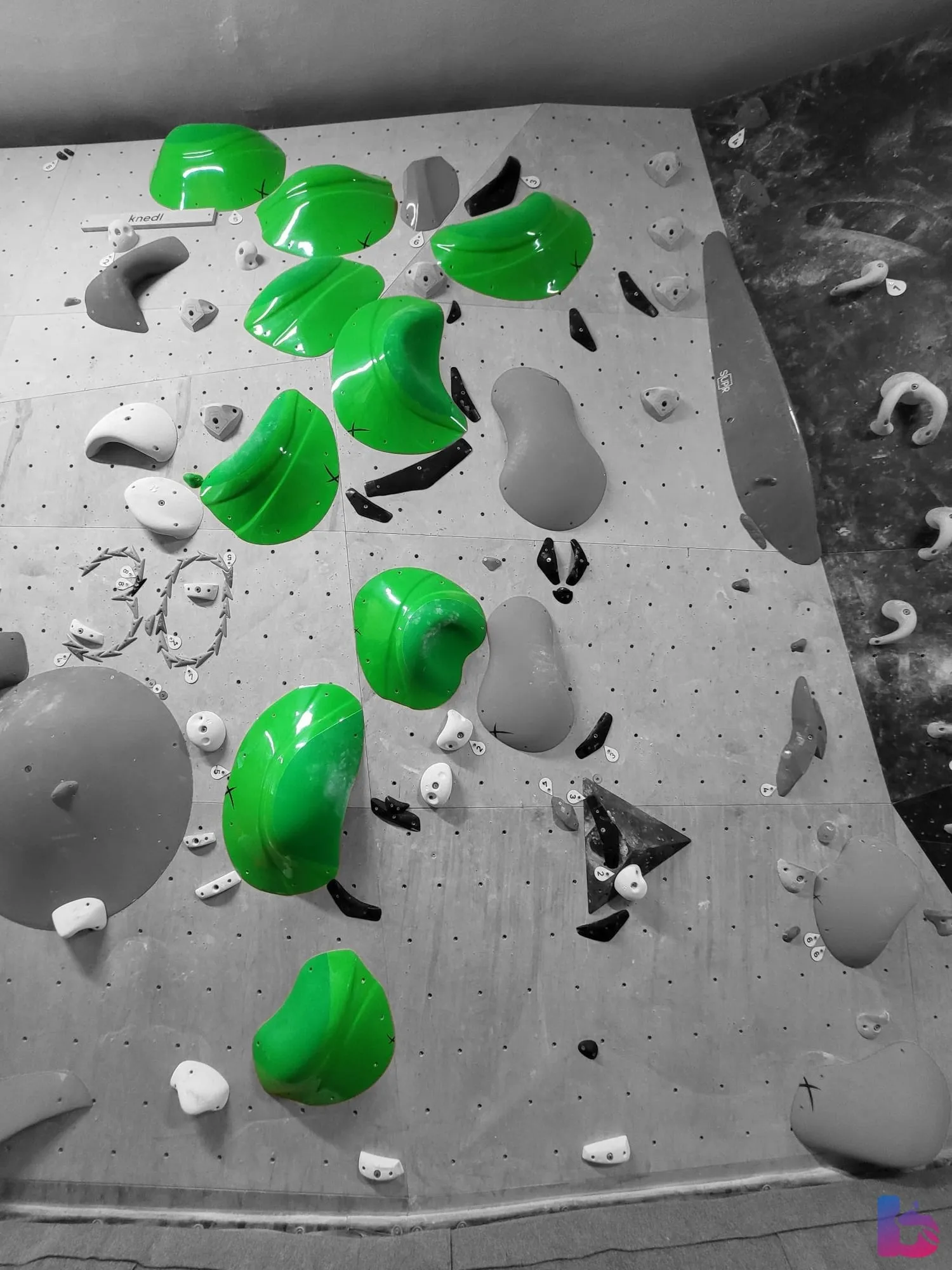
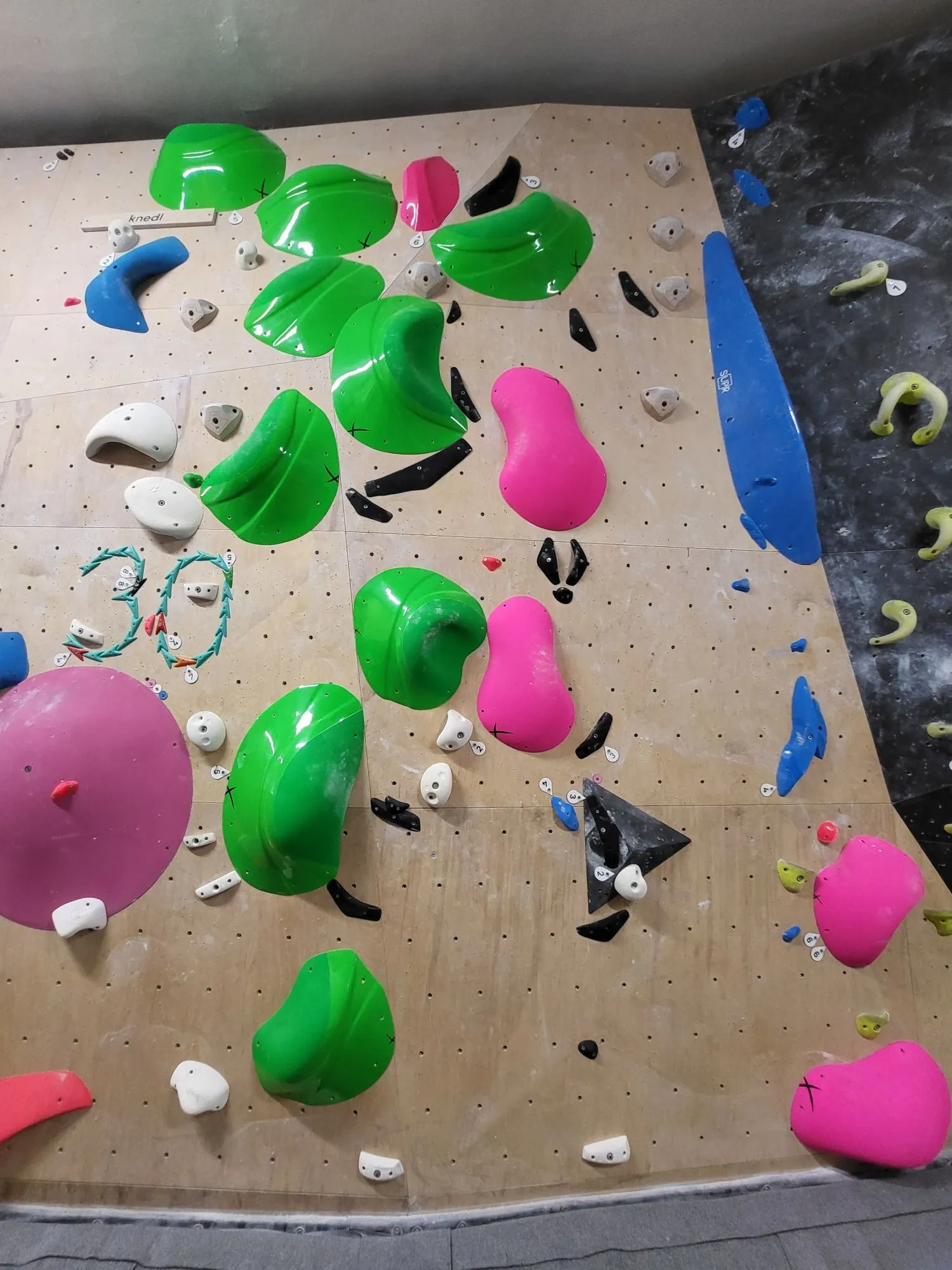
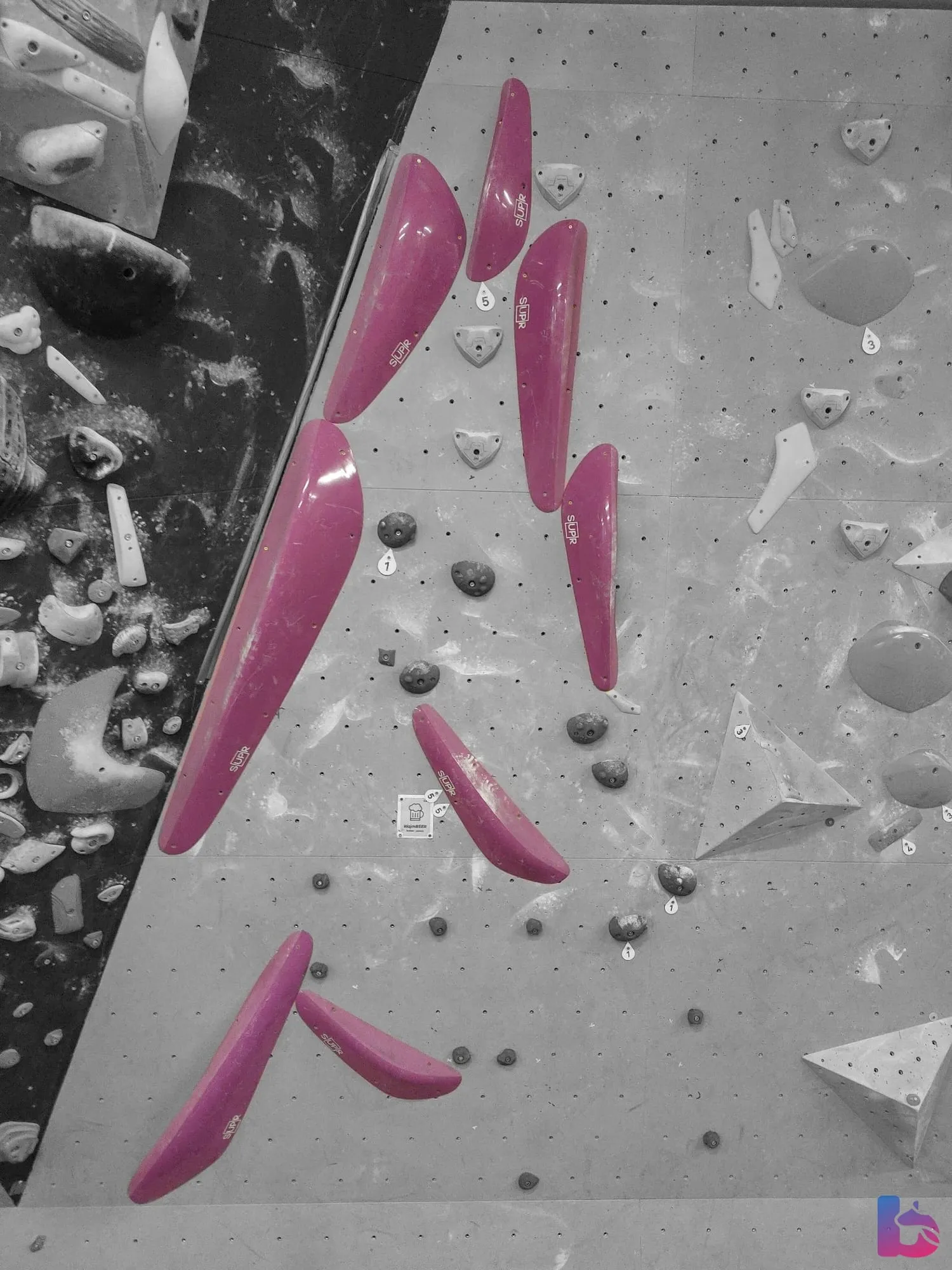
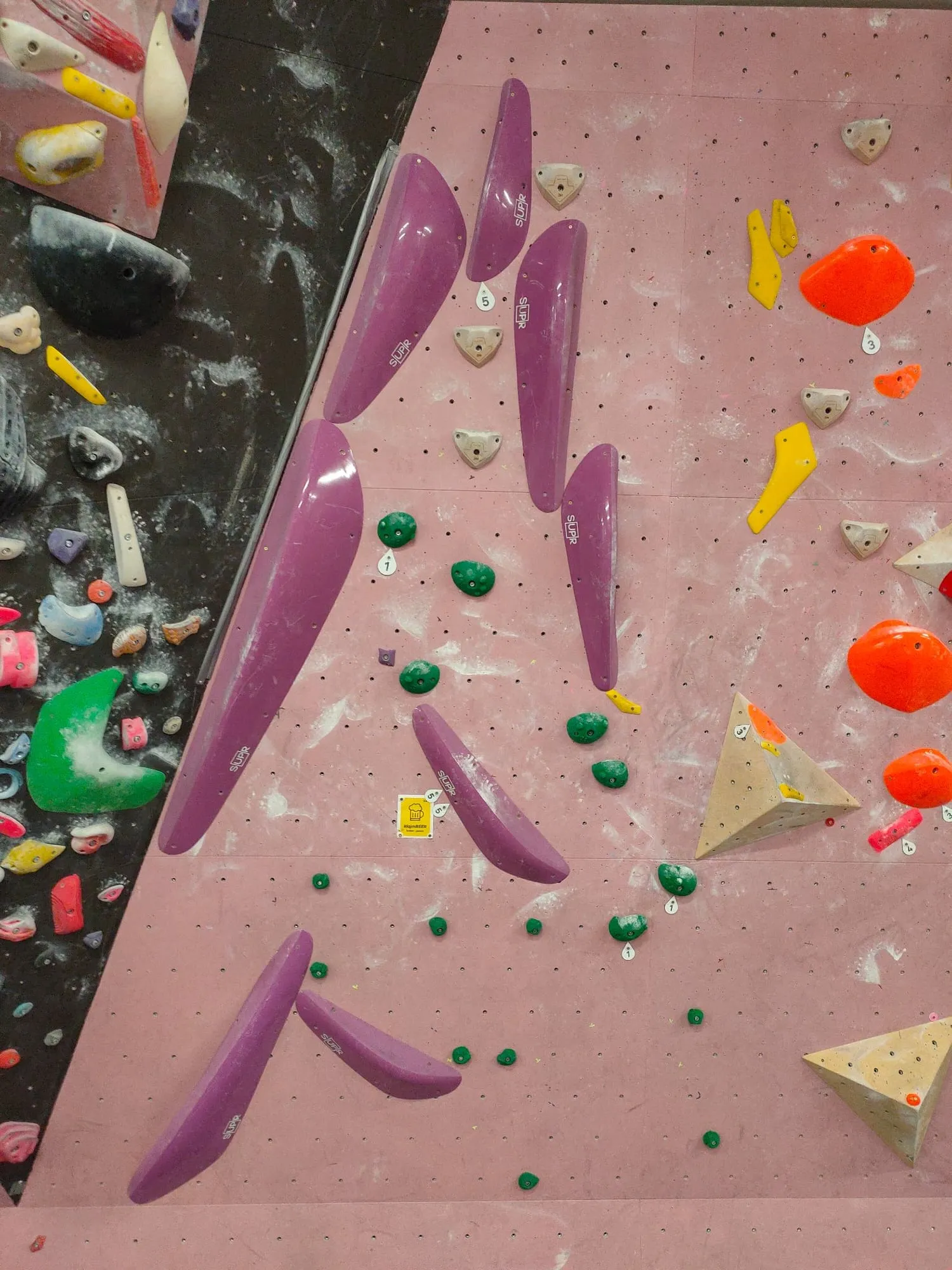
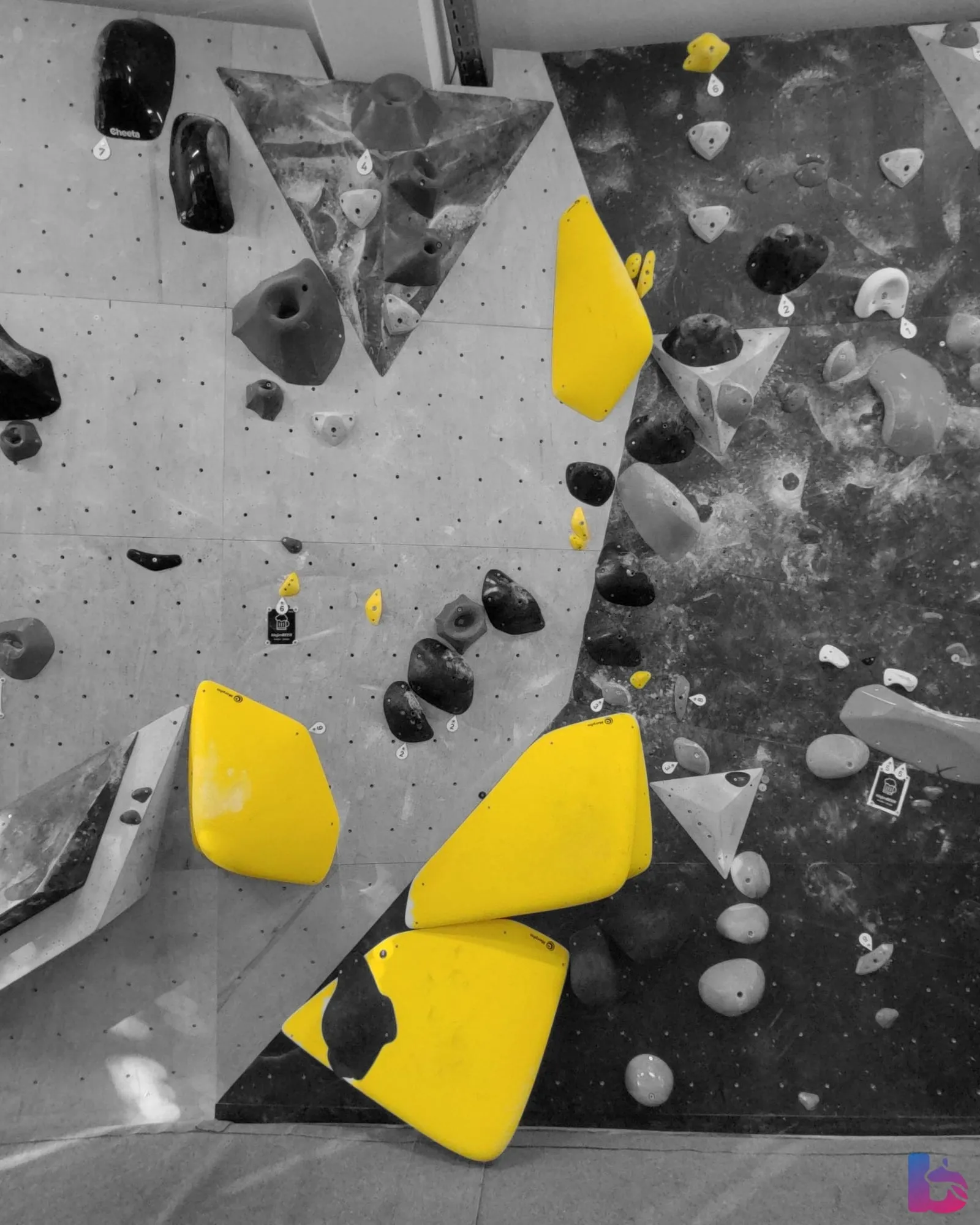
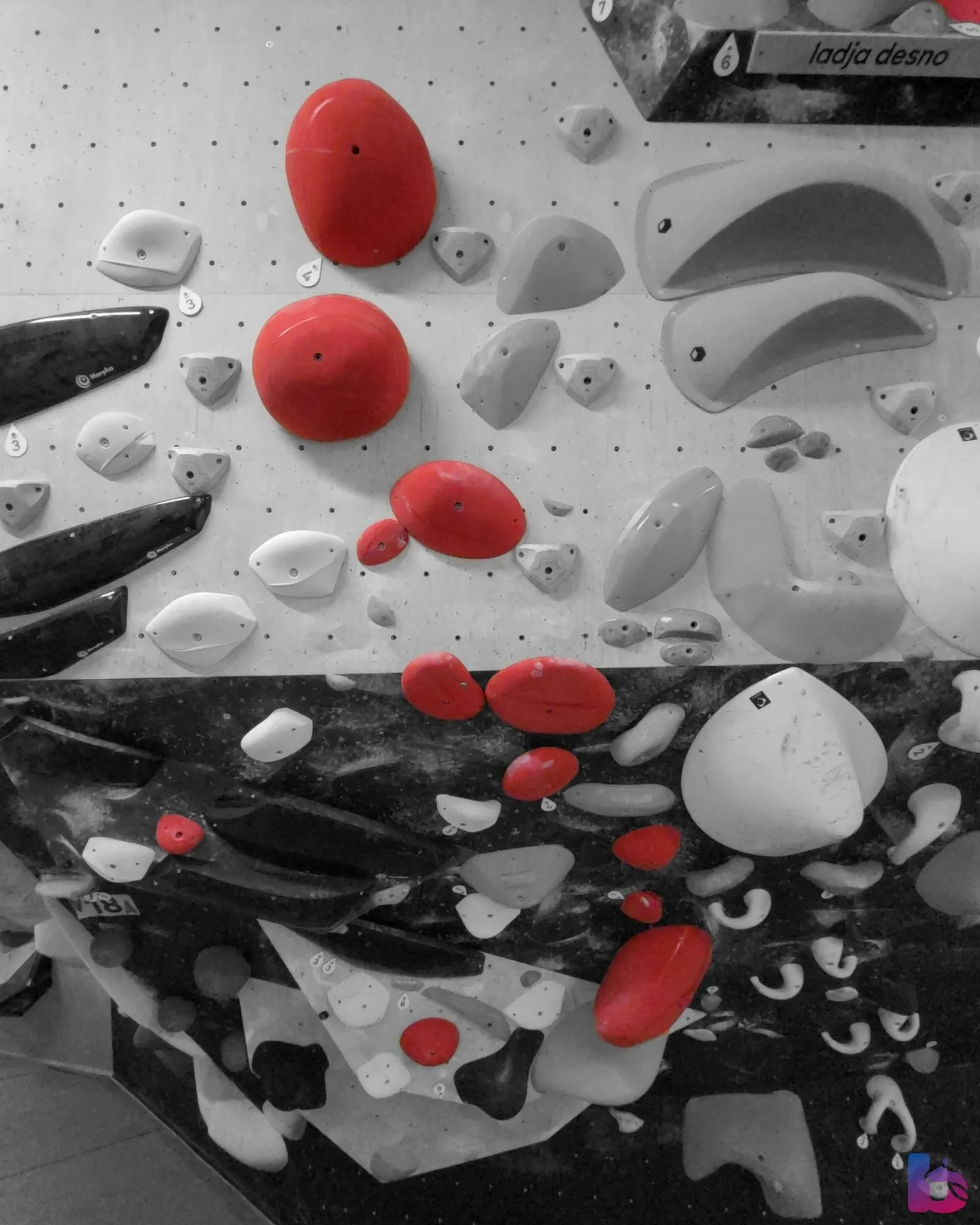
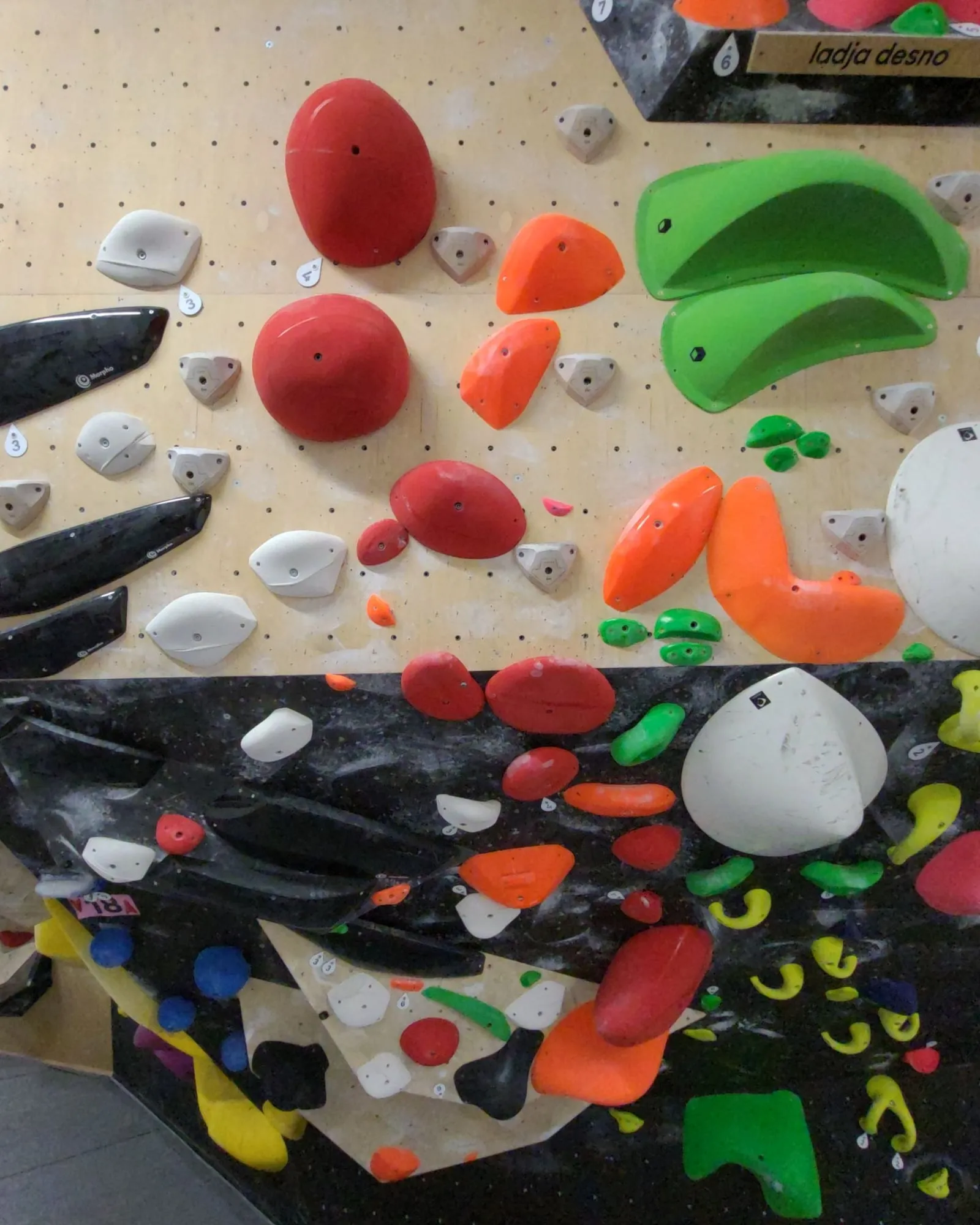
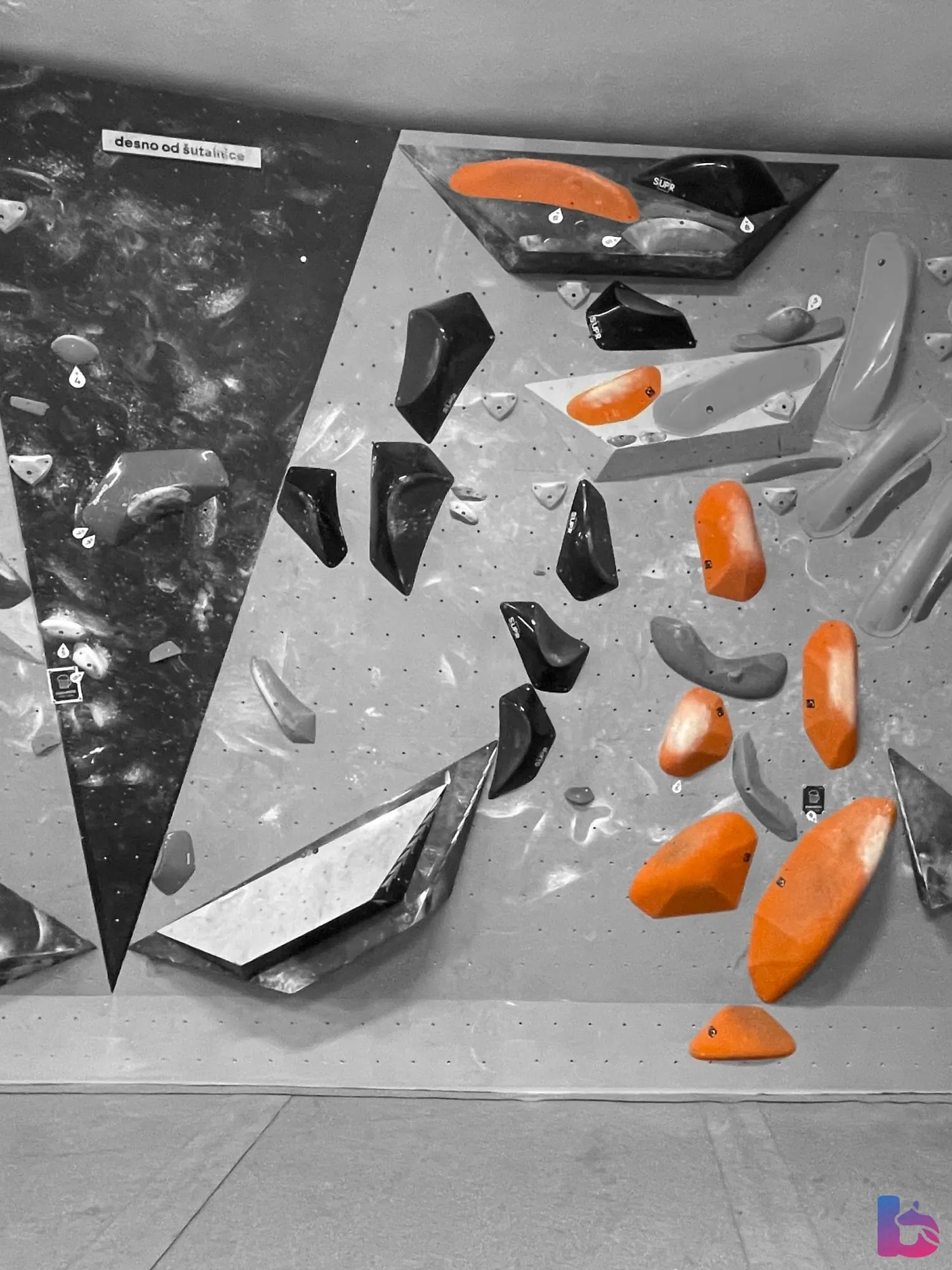
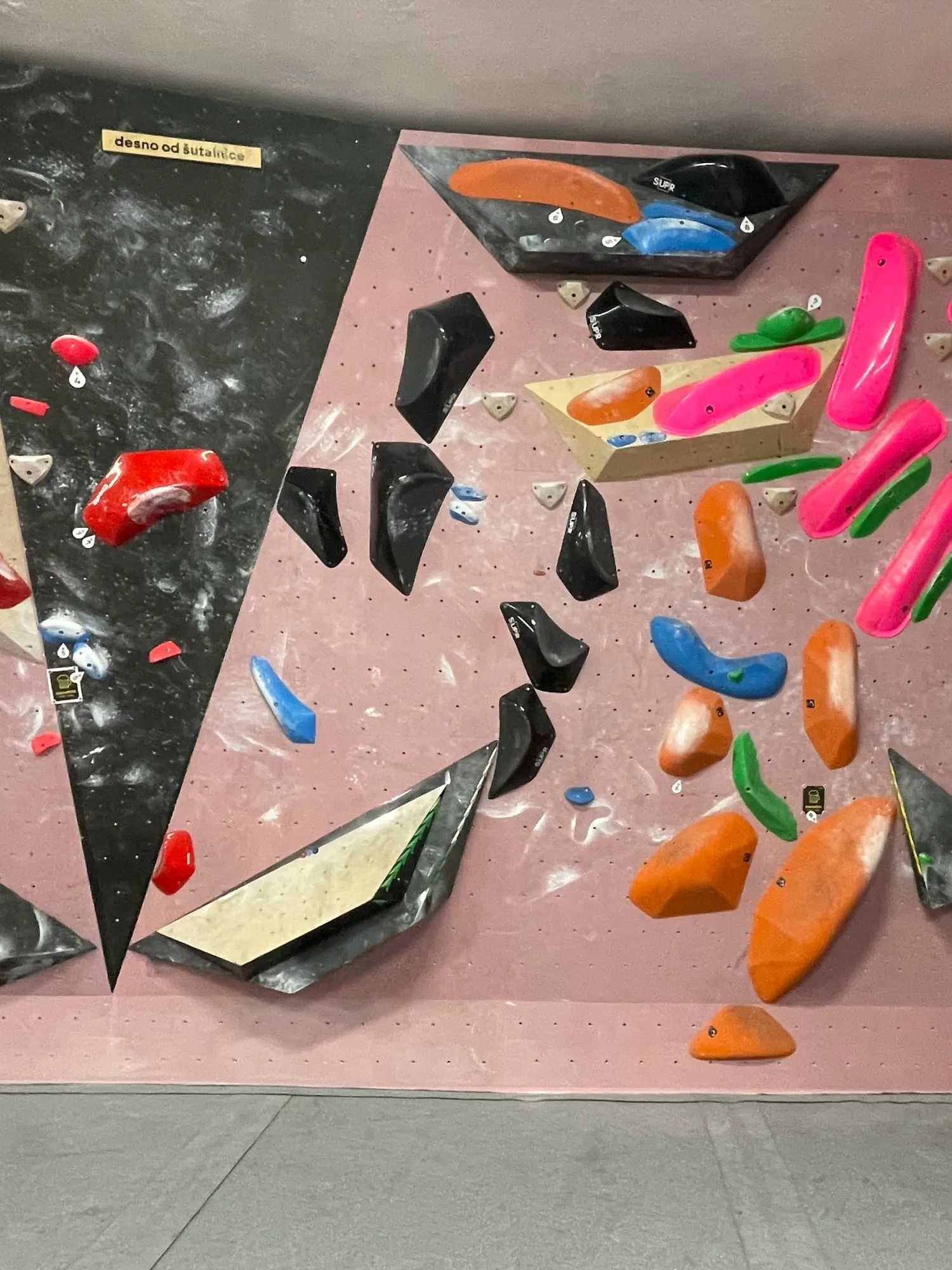
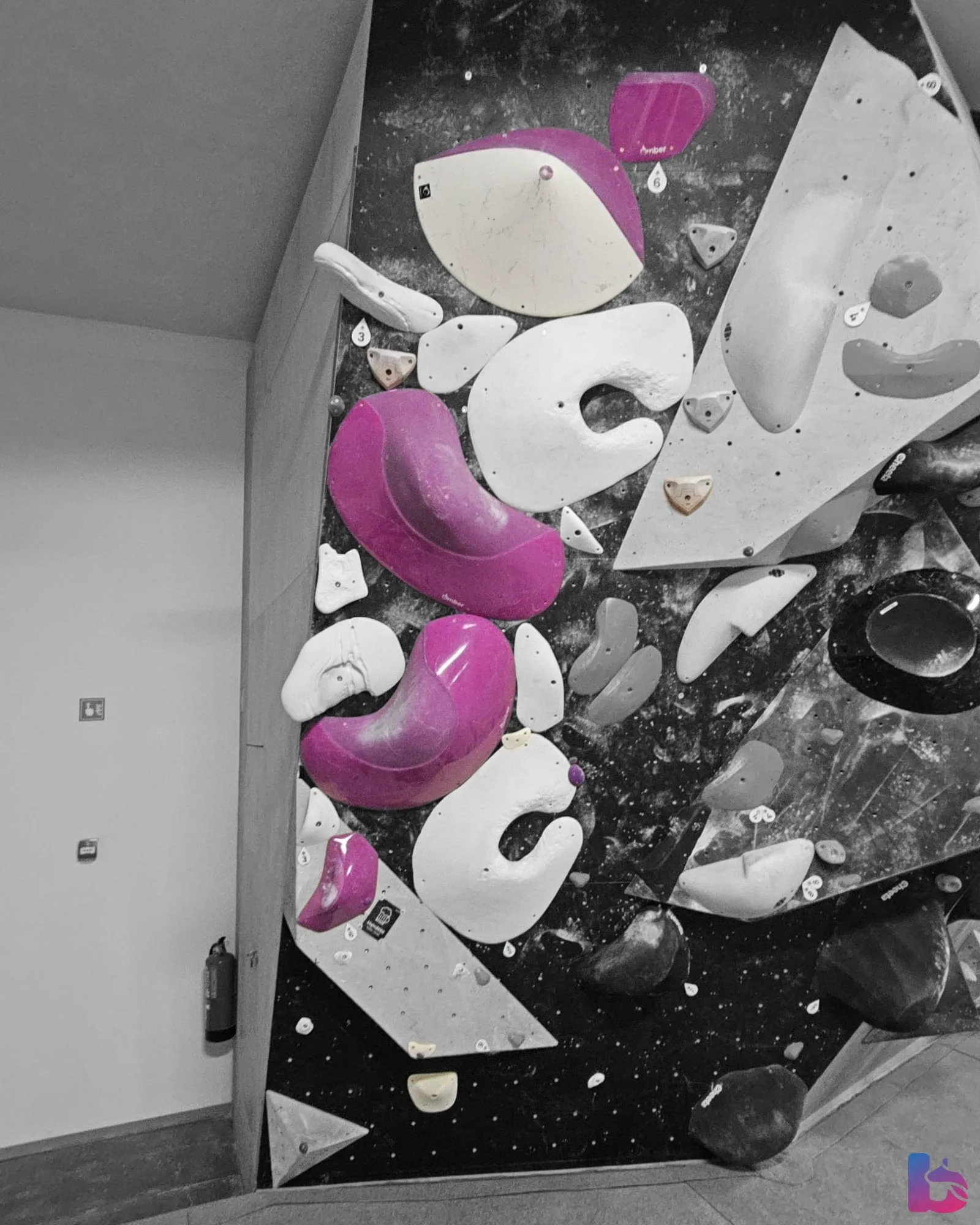
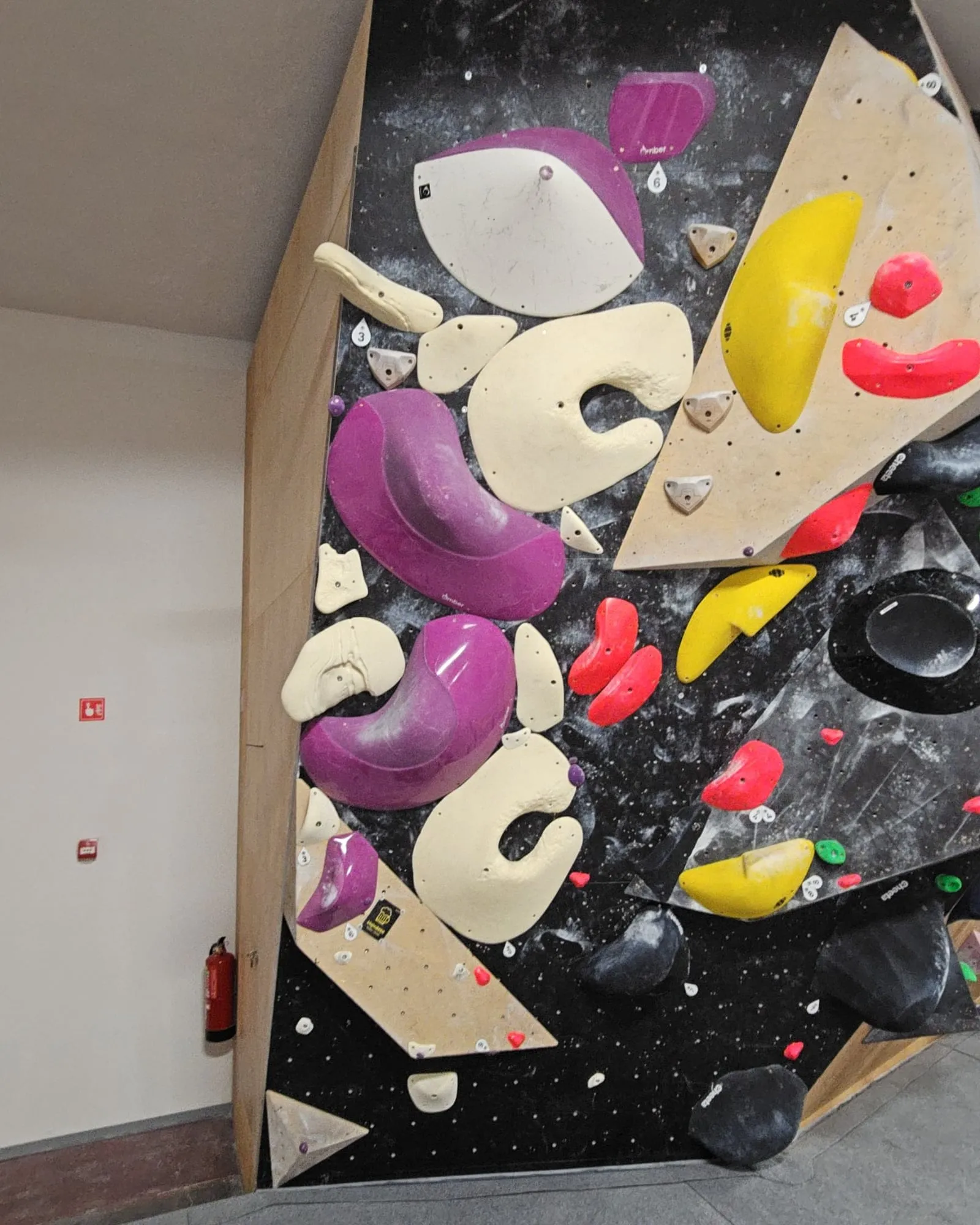
Pick a boulder by its colour, then drag the handle or switch between Original and Highlighted.
Limits
Where the suggestions are weakest
Of the 7 examples above, 4 were accepted as suggested and 3 were fixed by a setter first. A suggestion reaches climbers only once a setter has accepted it.
- Black, white and grey holds
- Volumes and crowded walls
A setter can always highlight by hand: tap the holds on the photo, with or without a suggestion.
Automatic suggestions are for boulders only: routes get none, and spraywall problems are marked on their shared wall photo instead. How spraywall problems are marked
How it works
From a wall photo to a boulder in colour
One boulder at Klajmber, “Zvezdni poljub”, in three steps: the photo, the saved highlight and a climber’s phone.
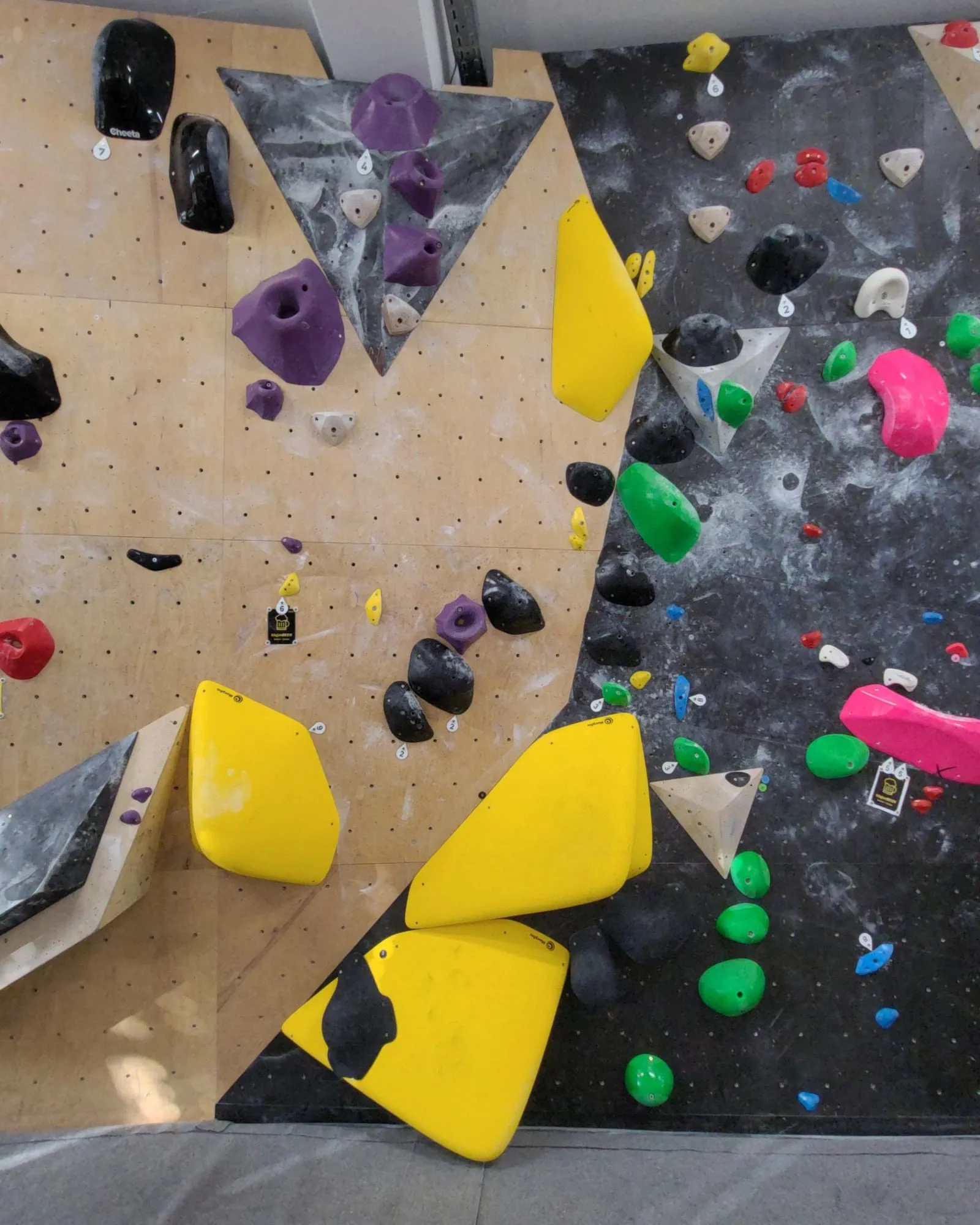
Klajmber, the boulder “Zvezdni poljub”
-
A setter adds a wall photo
The setter saves the boulder in Balvanko with its hold colour and a photo of the wall.
-
Balvanko suggests the holds
This highlight: accepted as suggested
Balvanko’s hold detection finds the holds in the boulder’s colour and prepares a highlighted photo, usually within half a minute. A setter accepts the suggestion, declines it or fixes it with a few taps. Tapping a missing hold adds it, along with the other holds of that colour. Until a setter accepts the suggestion, the boulder keeps showing the original photo. Suggestions wait in one list, where a setter can accept several at once.
In the editor, setters can add hold outlines, pick one of three background styles and limit a highlight to part of the wall. A saved highlight can be edited at any time, without uploading the photo again.
-
Climbers see the boulder in colour
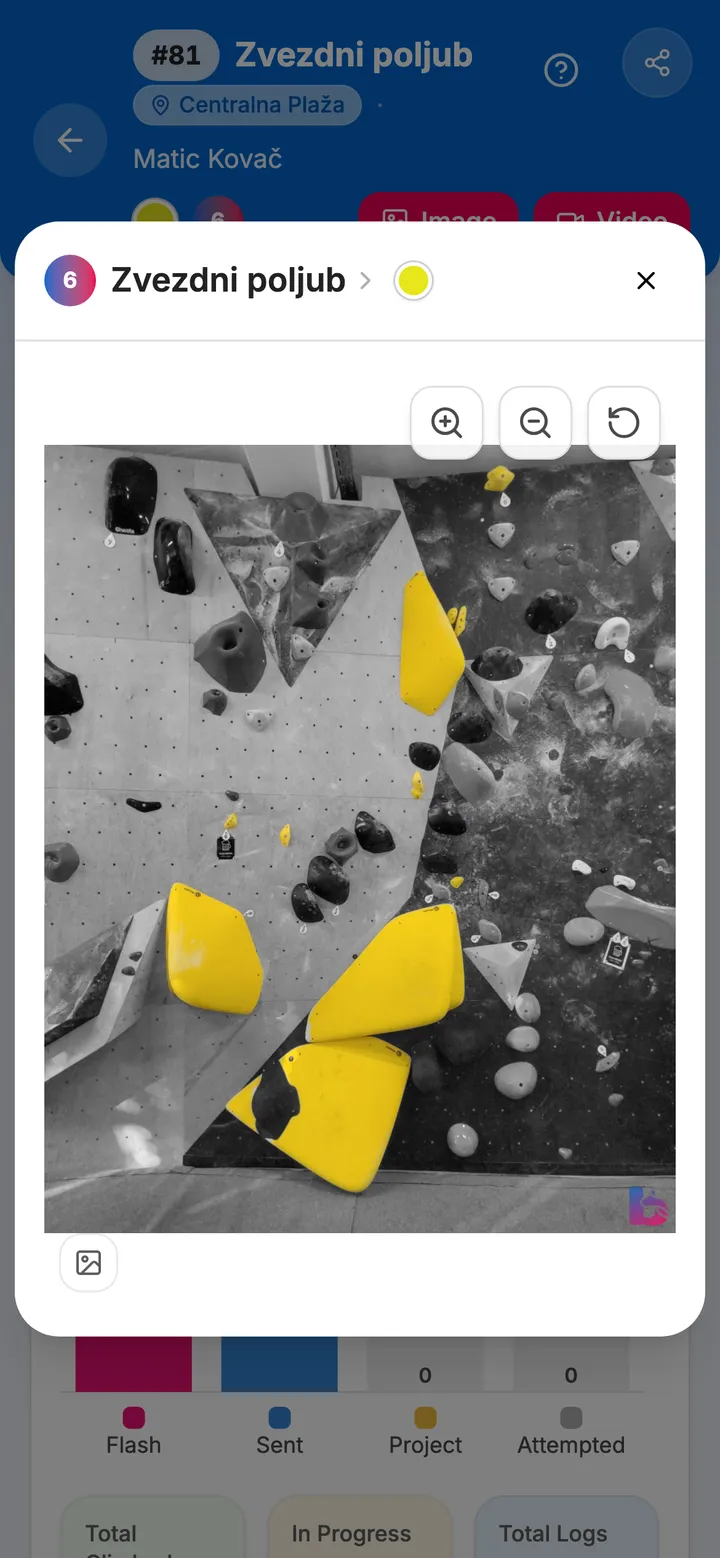
The accepted highlight is saved with the boulder. When climbers open its photo in the Balvanko app, only its holds are in colour, so the line is easy to read. A button under the photo shows the original. The app is free for climbers.
API access
Want hold highlights in your own app or product?
Balvanko’s hold detection and hold highlights are available through an API on request. Tell us who you are and what you want to build, and we’ll set up access for you. We read every request and reply ourselves.
Who this is for
- Climbing gyms with their own app
- App and software developers
- Board and hold makers
Thanks! We’ll be in touch.
We’ve received your request. We read every request and reply ourselves.
Questions
Hold highlights: common questions
What is a hold highlight on a climbing wall photo?
A hold highlight is a wall photo in which the holds of one boulder keep their colour and the rest of the wall turns grey, so climbers see at a glance which holds belong to it. In Balvanko, hold detection suggests the holds automatically, and a suggestion reaches climbers only once a setter has accepted it.
Do hold highlights cost extra?
No. Hold highlights and automatic hold suggestions are included for every gym on Balvanko’s Pro plan, at no extra cost. Climbers see the highlights in the Balvanko app, which stays free for them.
Do automatic hold suggestions work for routes and spraywalls?
No. In Balvanko, automatic hold suggestions are for boulders only. Spraywall problems share one wall photo, so their holds are marked on that photo instead, as part of the spraywall feature. Routes get no automatic suggestion.
How long does an automatic hold suggestion take?
In Balvanko, a hold suggestion for a new or replaced photo takes about half a minute after a quiet spell, while the server starts, then a few seconds per photo. If no server is free, it takes longer. An older photo needs a setter’s request. Suggestions stay valid for 7 days. Photos are processed on servers in the EU.
Do automatic hold suggestions work on black, white and grey holds?
Less reliably. Balvanko’s automatic hold suggestions are weakest on black, white and grey holds, on volumes and on crowded walls. No suggestion reaches climbers until a setter accepts it, and a setter can always highlight by hand: tap the holds on the photo and save.
Is the original photo kept, and can climbers see it?
Yes. Balvanko keeps the original photo alongside the highlight, so a setter can edit the highlight at any time without uploading again. Climbers see the highlighted photo on the boulder in the app, and a button under the photo shows the original.
Does Balvanko have an API for climbing hold detection or hold highlights?
Yes, on request. Balvanko’s hold detection and hold highlights are available through an API for gyms with their own app, software developers, and board and hold makers. Tell us what you want to build in the API access form on the Hold highlight page, and we’ll set up access for you. We read every request and reply ourselves.
A demo for your gym
See Balvanko on your own walls
In a 20-minute demo we show it with your sectors, grades and colours.
€80/month per gym · free for your climbers
No commitment · we’ll tailor the demo to your gym